Getting Started > Submit your Works
SUBMIT YOUR WORKS
After signing up with Bridger, there is still one key step to run before we can start collecting your copyright.
We need to know about your ownership as a composer and as a lyricist for each of your musical works.
To select and submit your musical works:
- Sign in to Bridger
- Navigate to the My musical works tab from the navigation menu to access the list of your musical works. The works that require your attention will have the status To be completed.
- Select one or multiple musical works with the status To be completed, then click on Complete these submissions.
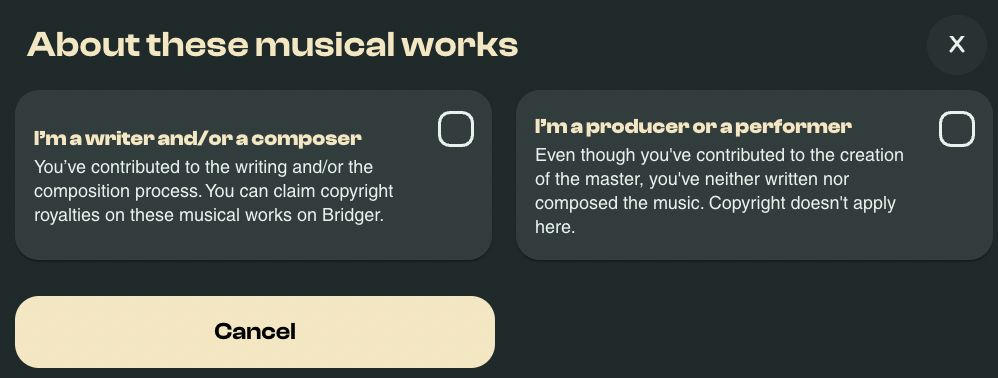
- Next, the option best describes how you've contributed to the works:
- Select I'm a writer and/or composer if you've contributed to the composition process. In this case, you have the right to claim copyright royalties and can proceed to the next step.
- Select I'm a producer or a performer if you've contributed to the creation of the master, but have not contributed to the composition process. In this case, you are not entitled to copyright royalties for the work and cannot proceed to the next step.
- If you've selected I'm a writer and/or composer in the previous step, you will be asked to confirm the originality of the works.
- Select The selected content is original if the musical work(s) are original and they are not a derivative of someone else's work (cover, remix, medley...). In this case, you can continue to the next step and submit your works for review by our team.
- Select I don't have the full rights for this content if the musical work(s) are not original and are a cover, remix or contain samples of someone else's work. In this case, you cannot submit the work(s) to the next step.
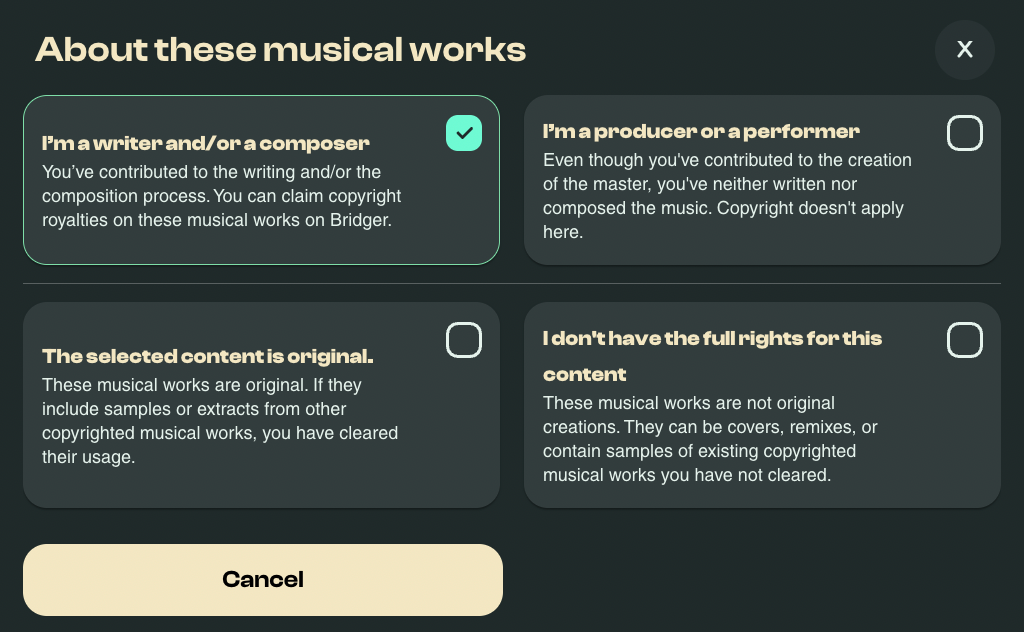
- Click Next to proceed to adding your co-writers, if any, and defining the ownership splits.
UNDERSTANDING ROYALTY AND OWNERSHIP SPLITS
When a musical work is composed and/or written by more than one person, all contributors are considered co-creators and share ownership of the work. This shared ownership determines how performing and mechanical rights are divided among them.
Based on the scope of each individual’s contribution to the creation and promotion of the work, the co-creators must agree on the percentage allocation of both performing rights and mechanical rights.
These agreed-upon splits will be used for royalty collection and distribution, with royalties paid out to each co-creator according to the declared percentages.
ADDING CO-CREATORS & DEFINING OWNERSHIP SPLITS
Adding your co-creators and defining the ownership splits are the two most critical steps of the submission process for your musical works.
To do this:
- Start by following the steps in the Submit your Works section of this article.
- Select your role in the composition process of the work and choose between:
- Songwriter - this is always going to be the default option.
- Author
- Composer
- Next, define the percentage of the Performing and Mechanical Rights you are entitled to.
- If you're the sole creator of the work, the splits percentage should be 100% for each right type.
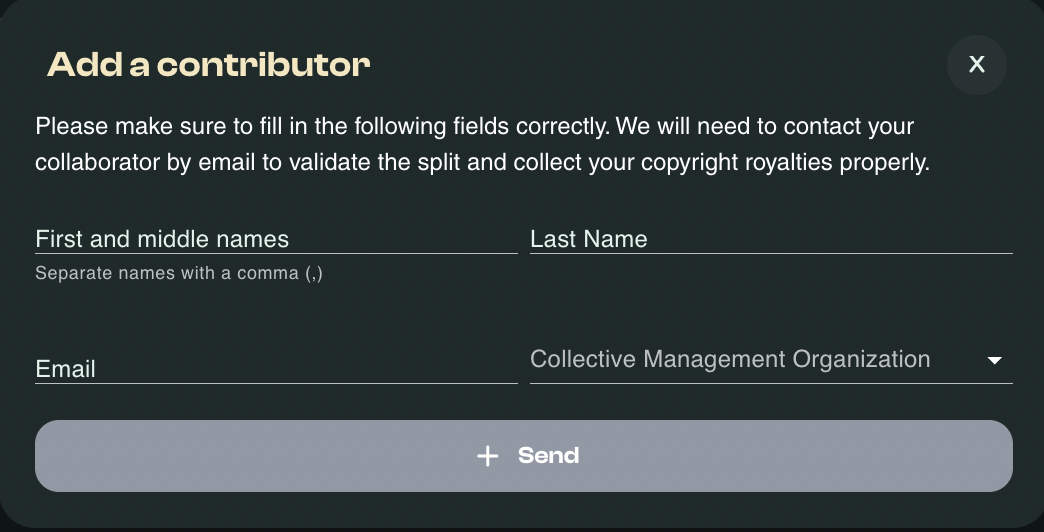
- If you're not the sole creator of the work, click on Add a new contributor. Fill in their personal details, email and CMO affiliation and click Send. Then define the splits for yourself and your co-creator. The combined total percentage of the splits for each right type should not exceed 100%.
- Click Next.
- Confirm that the information provided is correct and complete, then click Submit.
After submitting a selection of your musical works, you have 48 hours to update any element in the submission of each work.
After the 48 hours have elapsed, you will need to contact our team directly to make changes to the the works.
Your co-creators will be notified that you've added your work to Bridger and will be invited to review and approve the ownership splits. You cannot register your works unless your co-creators are added and have accepted the ownership splits.
ADD MUSICAL WORKS FROM A SPOTIFY OR DEEZER PROFILE
To add your musical works to Bridger and start collecting your copyright, you need to link your Spotify and/or Deezer artist profile.
This allows us to retrieve all of your musical works automatically from the Spotify and/or the Deezer database. This makes you save precious time compared to adding each of your tracks manually. To add your musical works to Bridger, first you need to add your music projects.
- Sign in to your Bridger account
- Click on My Account
- Select Your music projects on the left menu
- Click on Add an artist profile and make sure to select the option Fetch automatically my music works from the streaming platform.
- Paste the link of your artist profile.
ADD A SINGLE WORK TO YOUR REPERTOIRE
If you need to as one or more musical works to your Bridger account, please follow the below steps
- Log in to your Bridger Account: Bridger Website
- You can click on Add new tracks
- A new pop-up window will come up. Now copy the link of your musical work, as appear on Spotify or Deezer, and paste it as appears in the picture below.

- Click Save these tracks.
ADD AN ADDITIONAL ARTIST
To add an artist profile:
- Sign in to your Bridger account
- Select My account
- Select Your music projects on the left menu
- Click on Add an artist profile.
This will allow you to select a streaming service and add the artist's profile url in order to retrieve all your tracks directly to your Bridger account.
NOTE: Once you have completed the registration process, don't forget to review all your musical works, and complete their submission to start collecting your copyright royalties.
DELETE WORKS FROM YOUR REPERTOIRE
You can also delete any musical works from the same page. If you want to delete one or more tracks from your list:
- Select a track
- Click DELETE
NOTE: If you delete any of your musical works and want to submit them again in the future, you'll have to start the process from scratch again.