Manage your account
Add or remove musical works
To add your musical works to Bridger and start collecting your copyright, you need to link your Spotify and/or Deezer artist profile. This allows us to retrieve all of your musical works automatically from the Spotify and/or the Deezer database. This makes you save precious time compared to adding each of your tracks manually. To add your musical works to Bridger, first you need to add your music projects.
- Sign in to your Bridger account
- Click on "My Account"
- Select "Your music projects" on the left menu
- Click on "Add an artist profile" and make sure to select the option "Fetch automatically my music works from the streaming platform".
- Select the streaming service and add the url of your artist profile. If you need help to find your artist profile url, read our dedicated article: Add your Spotify/Deezer link
To review the list of your musical works, click on "My Musical Works" once you have signed the mandate. In that section, you will find all your musical works. To make sure copyright royalties are correctly collected, you need to edit this section to indicate your role and the possible split applicable to each track: How to Register and Submit your musical works
You can also delete any musical works from the same page. If you want to delete one or more tracks from your list:
- Select a track
- Click "DELETE"
NOTE: If you delete any of your musical works and want to submit them again in the future, you'll have to start the process from scratch again.
Add a new work to your repertoire
If you need to as one or more musical works to your Bridger account, please follow the below steps
- Log in to your Bridger Account: Bridger Website
- You can click on "Add new tracks"
- A new pop-up window will come up. Now copy the URL of your musical work, as appear on Spotify or Deezer, and paste it as appears in the picture below.
- If you want to add more than one musical work, click on "add another track" and do the same.
- Click "Save these tracks"
Add additional artist profiles
To add an artist profile:
- Sign in to your Bridger account
- Select "My account"
- Select "Your music projects" on the left menu
- Click on "Add an artist profile."
This will allow you to select a streaming service and add the artist's profile url in order to retrieve all your tracks directly to your Bridger account.
NOTE: Once you have completed the registration process, don't forget to review all your musical works, and complete their submission to start collecting your copyright royalties.
Reset / Update your password
To reset your password:
- Go to the HOME page and click on "Forgot your password?"
- Enter your email address. You will receive an email from Bridger with a link to reset your password
To update your password:
- Log in to your account and click on "my account"
- Select "Update my password" on the left menu
- Then click on "I'd like to update my password". You will receive an email with a link to reset your password
Update your bank details
To update your bank details and make sure you continue to receive the payement of your copyright, follow these steps:
- Sign in to your Bridger account
- Click on "My account"
- Select "Bank Details" on the left menu
- Edit your information, then click on "Save Changes" to confirm the update
NOTE: If you want to change the format of your bank account (switch from a bank account with or with IBAN for example), first you need to update your address in your personal information.
Agreement termination
Your mandate with Bridger is valid for 12 months and is renewed every 3 months thereafter. To terminate your agreement, you must submit a written request via our online form.
- You can check the start date of your agreement by signing in to your Bridger account https://www.bridgermusic.io/
- Click on "My Profile"
- Select "My Subscription" on the left menu
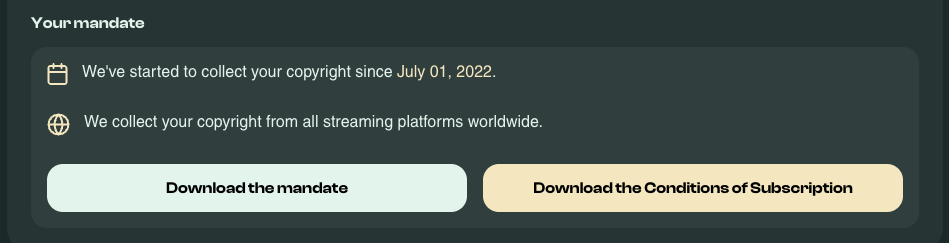
- On this page, you will find the start date of your contract and be able to download the mandate and the subscription terms.
NOTE: You will need to submit your request at least 2 months prior to the end of the first 12 months or the end of any trimester you wish to be unsubscribed from Bridger.