WALLET
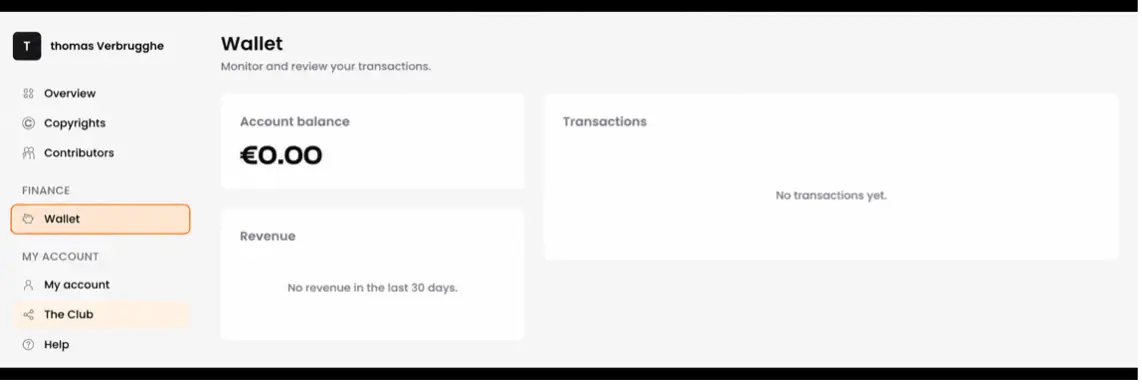
Your Wallet shows your current account balance and saved payout methods. Once your available balance meets the withdrawal requirements, you can request payment. The minimum royalties threshold to withdraw is 20 EUR.
Adding a Payout Method
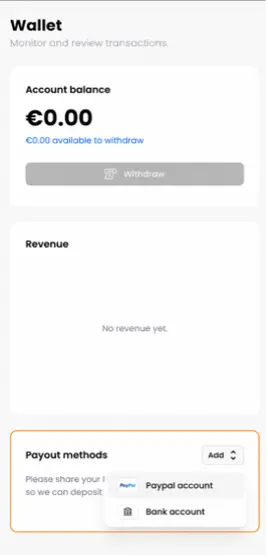
To add a payout method, open Wallet and click Add in the Payout methods section.
Select PayPal account and enter your PayPal email address, or select Bank account and enter the account holder’s full legal name, IBAN and BIC/SWIFT code. Check your details carefully, then click the corresponding Add button to save them.
To update an existing payout method, hover over it and click the pencil icon. Edit your details and save your changes.
If you have a withdrawal pending, contact support before changing the destination account.
ROYALTY REPORTING & PAYMENT SCHEDULE
You can generally expect your first royalties within approximately 7 to 9 months after signing up and submitting your first works.
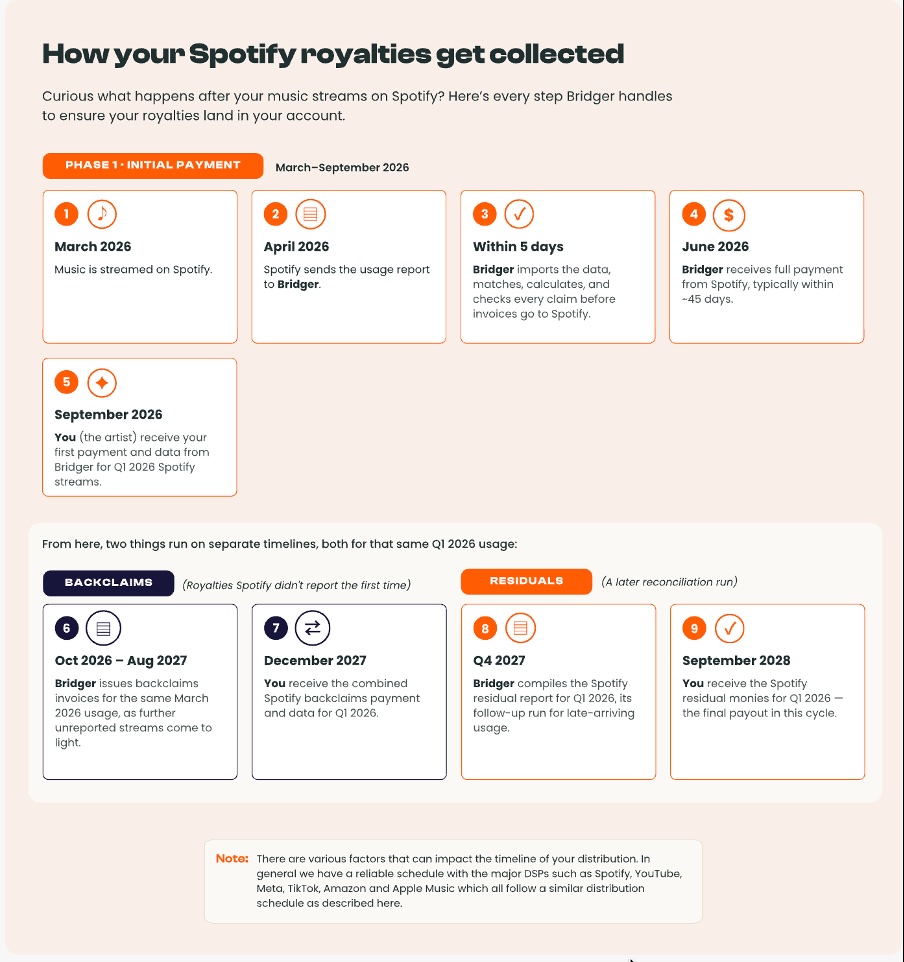
During this period, we verify your account, register your works with collection partners, receive usage reports and match royalties to your registered ownership shares. This is an estimated collection timeline. Once earnings are available in your Wallet, you can request a withdrawal.
How often are royalties added to my account?
After the initial collection period, royalties are generally processed monthly or quarterly, depending on your agreement and the reporting schedules of platforms and collection partners. The date royalties appear in your account can be several months after the period when your music was used.
What is the minimum withdrawal amount?
The minimum withdrawal threshold is €20. Once your available balance meets the withdrawal requirements, you can request payment through your Wallet.
If the Withdraw button is unavailable, check your balance and make sure you have added a payout method.
If you have not received your payment after the 15th of the month please contact us.
WITHDRAWING YOUR EARNINGS
To withdraw your earnings, open your Wallet and make sure your PayPal or bank account details are saved and correct.
Click Withdraw below your available balance and follow the instructions to submit your payment request.
When will my withdrawal arrive?
Submit your request before the 25th of the current month to be included in the following month’s payment cycle.
Bridger aims to process payments within the first 10 working days of that month. Bank transfers may take a further 3 to 5 days to appear in your account.
What if my payment has not arrived?
Check your payout details and whether the request is still processing or marked as paid.
If you have not received payment by the 15th of the expected payment month, contact support@bridgermusic.io. Please include your account email, withdrawal date, amount and payment reference, if available.
Our team may request additional verification information to investigate.
BRIDGER ROYALTY STATEMENTS EXPLAINED
The Copyright Royalty Statements section summarizes the royalties allocated to your account. The Account Statements section provides more detail about allocations, commission and payments.
To find your statements:
- Sign in to your Bridger account
- Navigate to the My Statements.
How do I read a copyright royalty statement?
Each statement includes the following information:
- Creation date: The date royalties were allocated to your Bridger account.
- Statement identifier: The unique reference for the statement.
- Rights collected: Whether the royalties relate to mechanical or performance rights.
- Net amount due:Your earnings after Bridger’s commission has been deducted.
The creation date is the date of allocation to your account. It may differ from the period when your music was used.
What if I have a question about a statement?
Contact support@bridgermusic.io with the statement identifier and the entry you would like us to explain.
If your question concerns a specific work, include its title, Spotify link and the relevant reporting period so we can investigate.